> ## Documentation Index
> Fetch the complete documentation index at: https://docs.togai.com/llms.txt
> Use this file to discover all available pages before exploring further.
# Webhooks
Webhooks are a way to receive updates from the server when something happens. For example, you can receive a webhook when a customer is created, or when an invoice is paid. This allows you to take action on your server when an event occurs on our side.
## Supported events
The following events are supported by the Togai platform:
* Account creation
* Price plan creation
* Proposal creation
* Invoice updation
* Invoice generation
* Order generation
* Incident generation
* Report generation
## Creating a webhook
To create a webhook, you will need to create a private flow. You can do this by going to the Flows section of the **No-code center** and clicking on the **Create Flow** button.
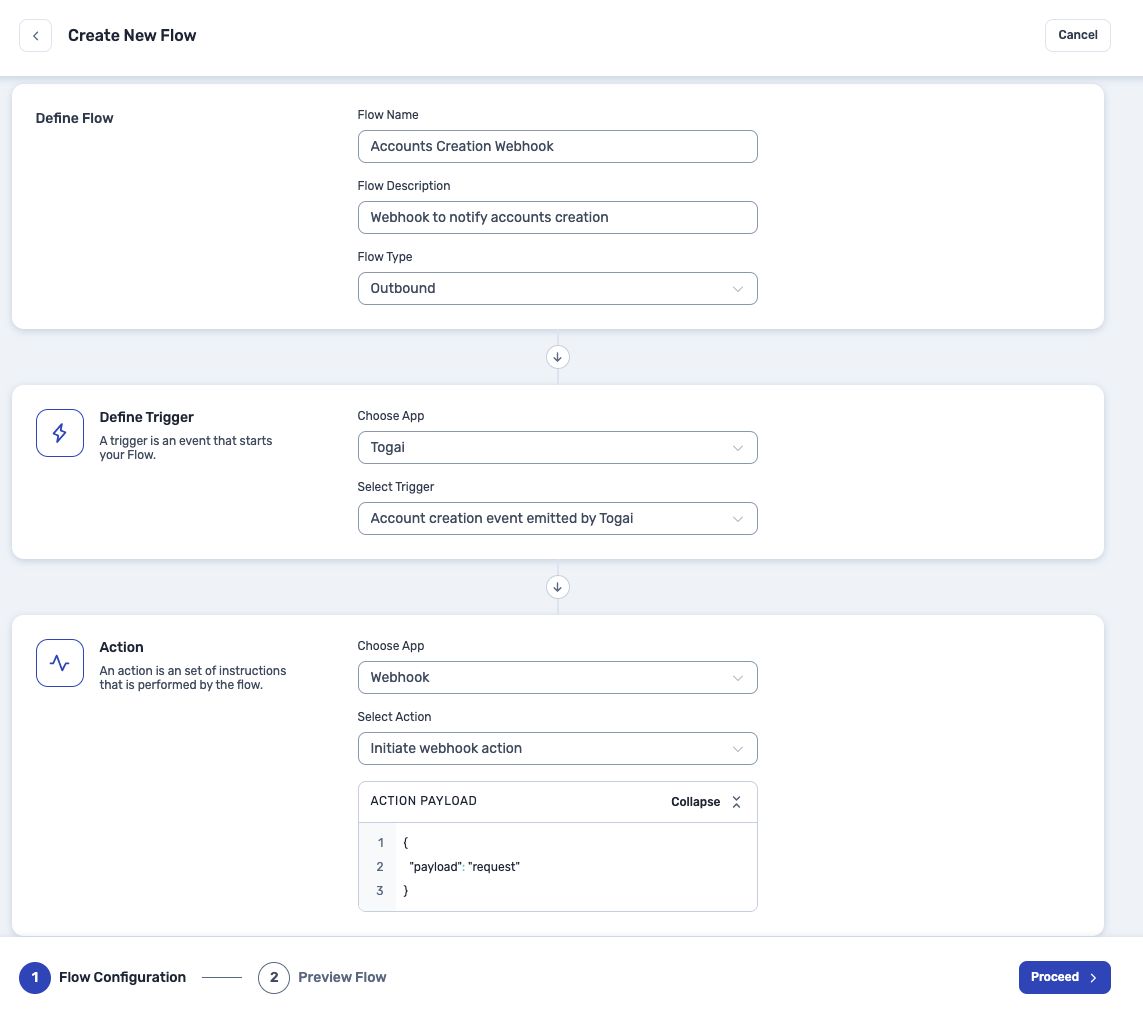 1. Give your flow a name and description.
2. Choose flow type as **Outbound**.
3. Choose the **Togai** app as the Trigger and choose the event you want to receive a webhook for.
4. Choose the **Webhook** app as the Action and choose the **Initiate Webhook** action from the dropdown. Fill in the action payload for the action as:
```json theme={null}
{
"payload": "request"
}
```
5. Click on **Proceed** to create the flow.
This will create a private flow to receive webhooks for the event you chose. You can create a flow connection to get the events from the flow.
## Enabling webhooks
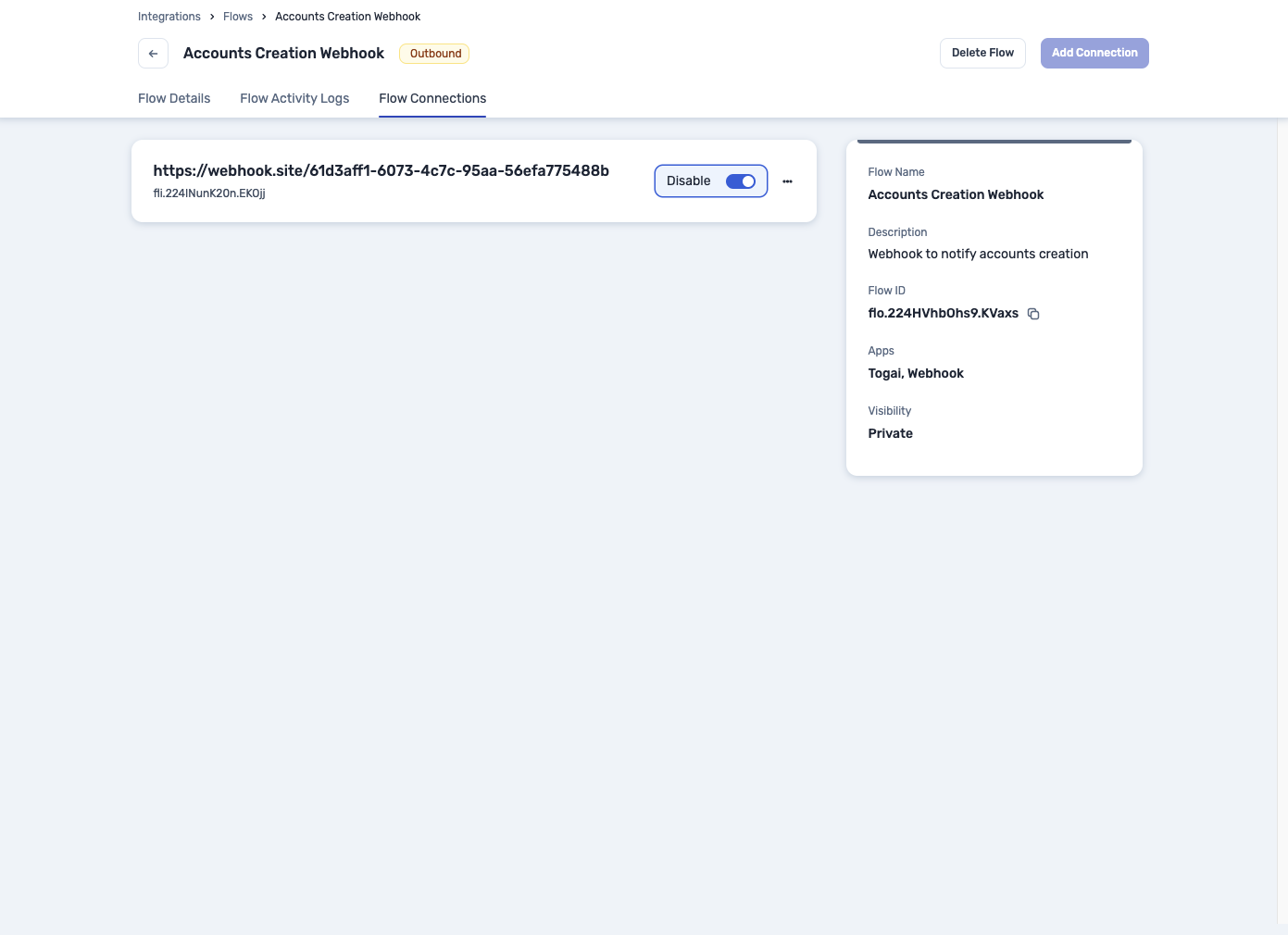
Click on the **Add Connection** button to create a connection to the flow, so that you can receive webhooks for the event you chose. Under the **Flow Connections** section, you will be able to see the connection you just created.
1. Give your flow a name and description.
2. Choose flow type as **Outbound**.
3. Choose the **Togai** app as the Trigger and choose the event you want to receive a webhook for.
4. Choose the **Webhook** app as the Action and choose the **Initiate Webhook** action from the dropdown. Fill in the action payload for the action as:
```json theme={null}
{
"payload": "request"
}
```
5. Click on **Proceed** to create the flow.
This will create a private flow to receive webhooks for the event you chose. You can create a flow connection to get the events from the flow.
## Enabling webhooks
Click on the **Add Connection** button to create a connection to the flow, so that you can receive webhooks for the event you chose. Under the **Flow Connections** section, you will be able to see the connection you just created.
 ## Debugging webhooks
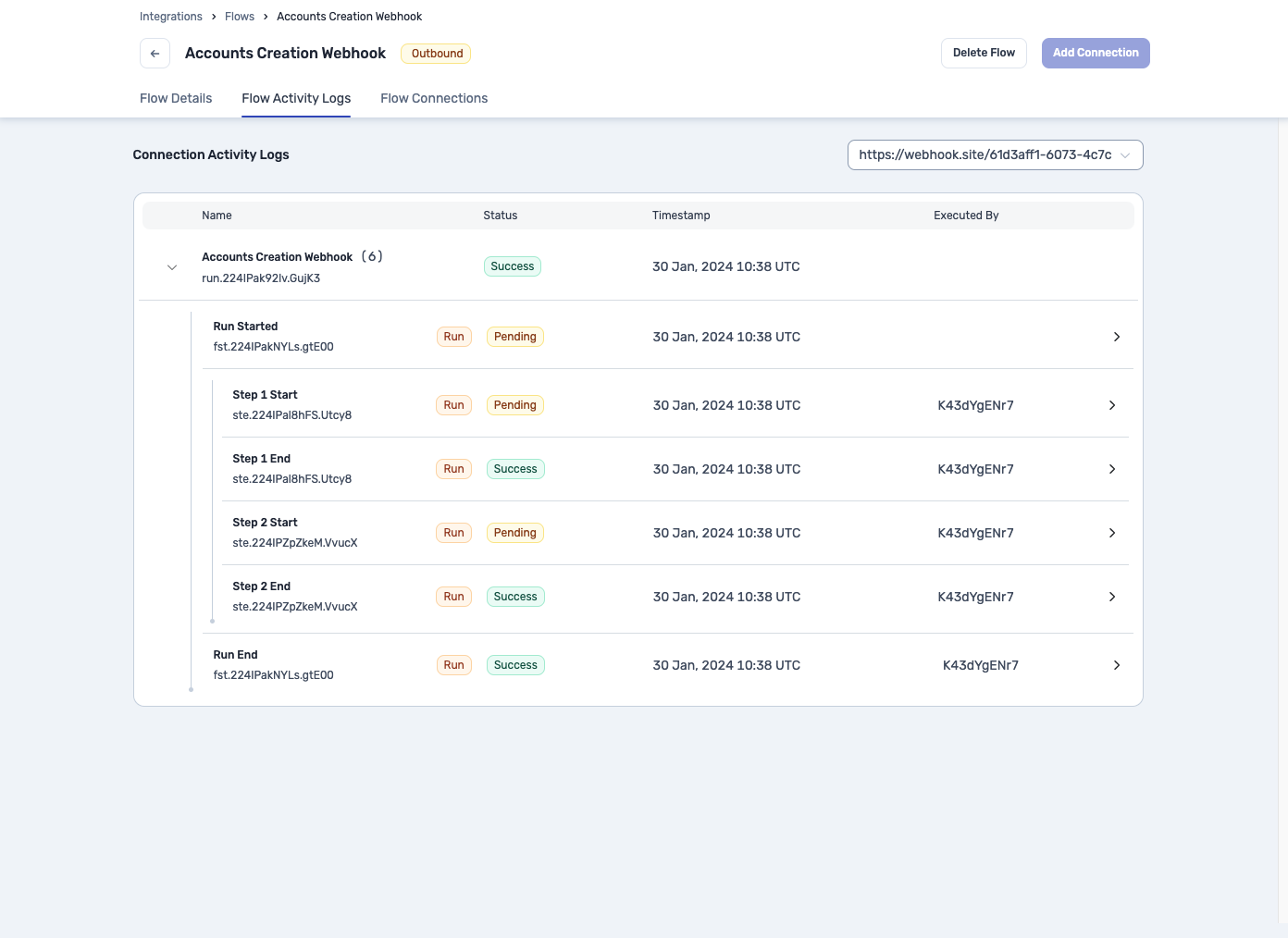
You can debug the webhooks you receive by clicking on the **Flow Activity Logs** section of the flow. This will show you the logs of the flow on step level granularity.
## Debugging webhooks
You can debug the webhooks you receive by clicking on the **Flow Activity Logs** section of the flow. This will show you the logs of the flow on step level granularity.