> ## Documentation Index
> Fetch the complete documentation index at: https://docs.togai.com/llms.txt
> Use this file to discover all available pages before exploring further.
# How Togai works?
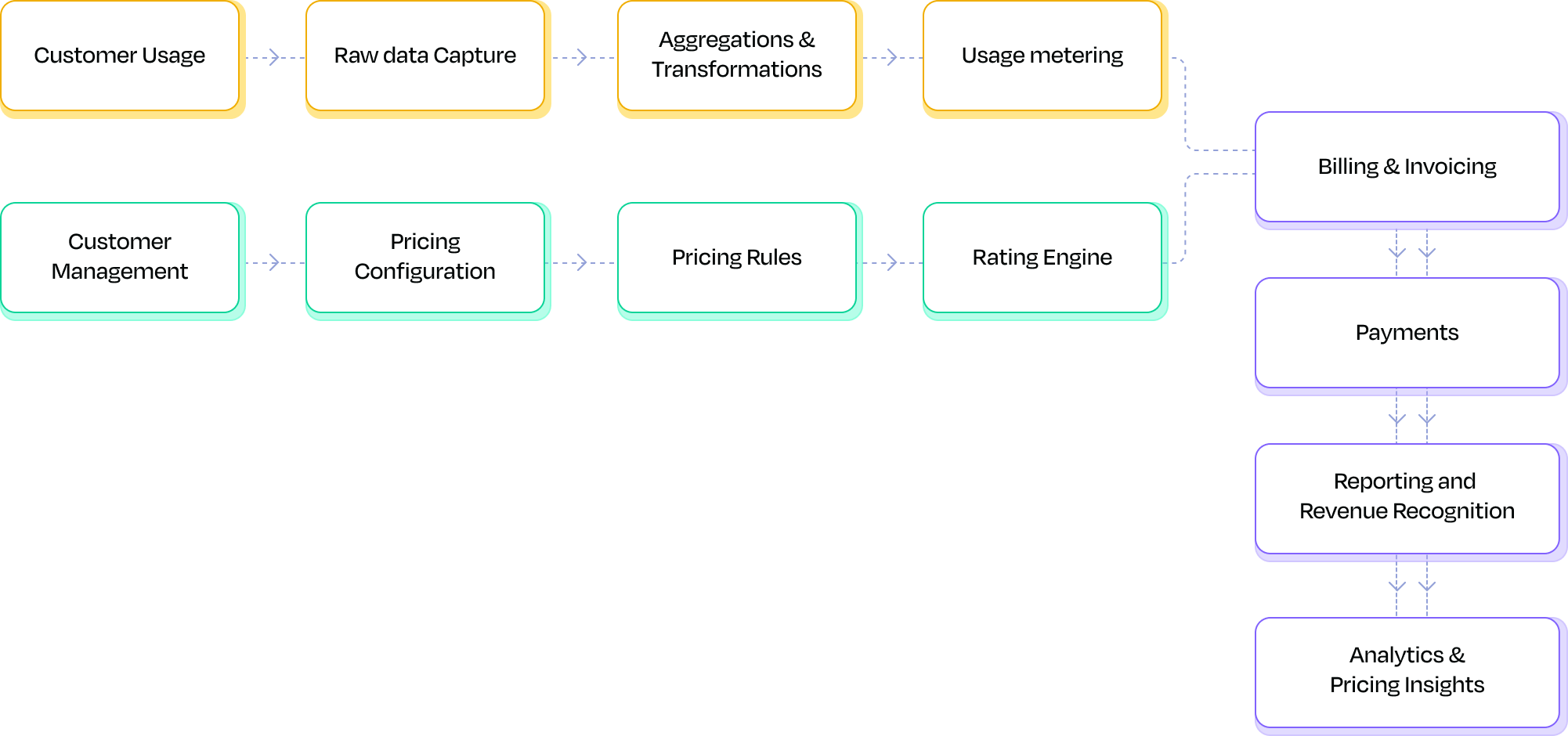 Togai was built keeping in mind pricing configurability and model flexibility at its core. This means the architecture has been built ground up keeping in mind the requirements of different monetization models across pricing strategy (usage based, seat based, hybrid), GTM motions (self-serve, sales led) and payment terms (pre-paid, credits, post-paid, commitments).
There are 4 building blocks in Togai to be configured that can be used to replace your entire billing stack.
Togai was built keeping in mind pricing configurability and model flexibility at its core. This means the architecture has been built ground up keeping in mind the requirements of different monetization models across pricing strategy (usage based, seat based, hybrid), GTM motions (self-serve, sales led) and payment terms (pre-paid, credits, post-paid, commitments).
There are 4 building blocks in Togai to be configured that can be used to replace your entire billing stack.
 ## Quickstart guide
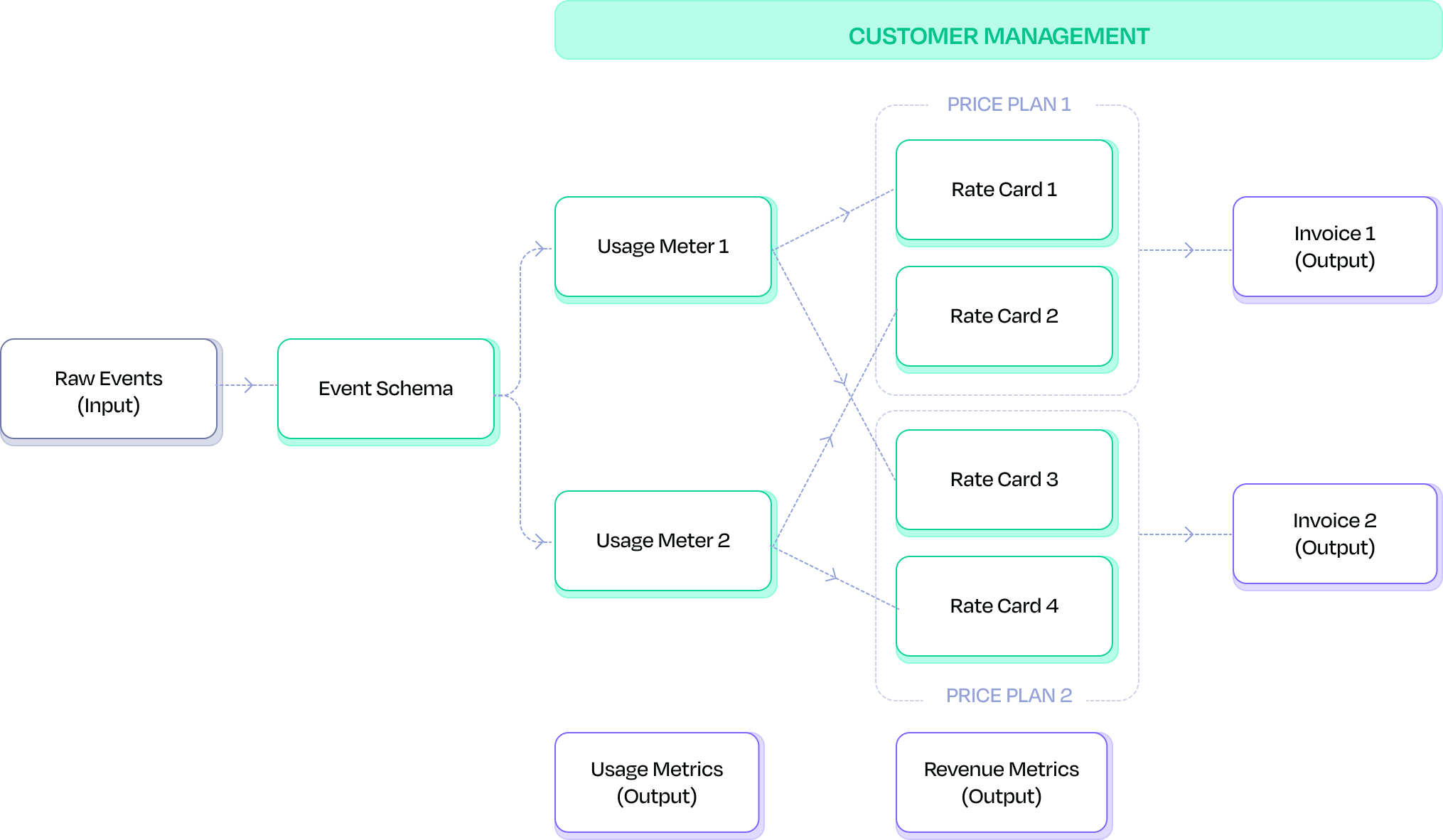
You can follow this 5 steps to easily get started using Togai to meter and bill your customers.
Defining your event payload that needs to be metered is the 1st step to tracking raw usage. [Learn more](/docs/event-schemas)
The next step is to aggregate the raw event data into aggregated usage metrics. [Learn more](/docs/usage-meter)
To rate your metered usage, you should model the pricing for your products in a price plan. [Learn more](/docs/price-plan-overview)
Add your customers to Togai and associate a price plan to them based on your contract terms. [Learn more](/docs/customers)
Once you define your invoice format, your customers will receive their invoices automatically at the end of every billing cycle. [Learn more](/docs/invoices-overview)
## Work backwards from your invoice
## Quickstart guide
You can follow this 5 steps to easily get started using Togai to meter and bill your customers.
Defining your event payload that needs to be metered is the 1st step to tracking raw usage. [Learn more](/docs/event-schemas)
The next step is to aggregate the raw event data into aggregated usage metrics. [Learn more](/docs/usage-meter)
To rate your metered usage, you should model the pricing for your products in a price plan. [Learn more](/docs/price-plan-overview)
Add your customers to Togai and associate a price plan to them based on your contract terms. [Learn more](/docs/customers)
Once you define your invoice format, your customers will receive their invoices automatically at the end of every billing cycle. [Learn more](/docs/invoices-overview)
## Work backwards from your invoice
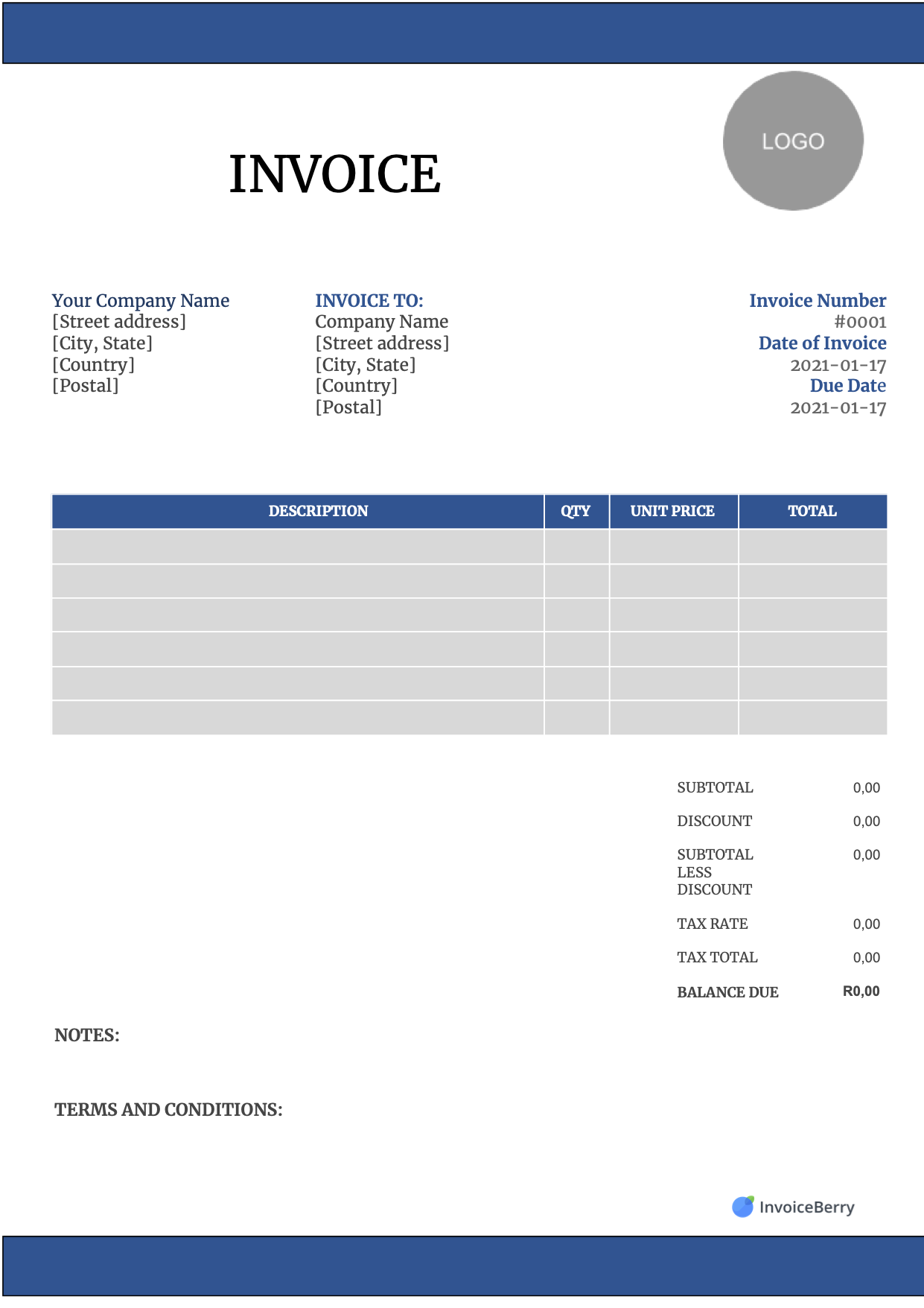 Your invoice consists of static and dynamic fields.
* **Static fields** - Your company details, your customer's details, your line items in the invoice and tax rate
* **Dynamic fields** - Invoice number, Date of the invoice, invoice period, quantity of the line items and price per unit of the line item
The below table consists of the list of fields in your invoice mapped to the corresponding entity and configuration in Togai.
| Invoice field | Type of field | Togai entity |
| ---------------- | ------------- | ------------------------------------------- |
| Company details | Static | Billing information |
| Customer details | Static | Customer -> account |
| Line items | Static | Billable items |
| Tax rate | Static | Custom charges |
| Invoice number | Dynamic | Invoice sequence |
| Date of invoice | Dynamic | Price plan (Cycle start date, grace period) |
| Invoice period | Dynamic | Price plan billing cycle |
| Usage quantity | Dynamic | Usage meter / license quantity |
| Price per unit | Dynamic | Price plan (Rate cards) |
It is ideal to think of your customer experience (pricing and invoicing) and work backwards from there to configure the relevant entities within Togai. The event schema is defined based on how your product is instrumented. Once all the configurations are done, you can start posting the event data to Togai. The invoices are generated accurately and automatically without manual intervention.
Your invoice consists of static and dynamic fields.
* **Static fields** - Your company details, your customer's details, your line items in the invoice and tax rate
* **Dynamic fields** - Invoice number, Date of the invoice, invoice period, quantity of the line items and price per unit of the line item
The below table consists of the list of fields in your invoice mapped to the corresponding entity and configuration in Togai.
| Invoice field | Type of field | Togai entity |
| ---------------- | ------------- | ------------------------------------------- |
| Company details | Static | Billing information |
| Customer details | Static | Customer -> account |
| Line items | Static | Billable items |
| Tax rate | Static | Custom charges |
| Invoice number | Dynamic | Invoice sequence |
| Date of invoice | Dynamic | Price plan (Cycle start date, grace period) |
| Invoice period | Dynamic | Price plan billing cycle |
| Usage quantity | Dynamic | Usage meter / license quantity |
| Price per unit | Dynamic | Price plan (Rate cards) |
It is ideal to think of your customer experience (pricing and invoicing) and work backwards from there to configure the relevant entities within Togai. The event schema is defined based on how your product is instrumented. Once all the configurations are done, you can start posting the event data to Togai. The invoices are generated accurately and automatically without manual intervention.